How to Take Screenshots for Documentation
The settings and conventions to fix before you capture anything, so forty images end up looking like one set rather than forty separate decisions.
Last updated
A written capture standard - window width, zoom, account, theme, crop - and a first set of screenshots that follow it. The standard matters more than any individual image, because the thing readers notice is inconsistency, not imperfection.
Before you start
Set up a dedicated demo account with realistic data in it. Not your own account, and not an empty one. Your account has real customer names in it; an empty one shows empty states that look broken and teach nothing.
Populate it with plausible fictional data you would be happy to publish - sensible names, realistic volumes, nothing that looks like a placeholder. "Acme Corp" and "Project 1" both signal that nobody cared.
Steps
Fix the browser width and never change it.
Pick one and record it. 1440px is a reasonable default: wide enough to show real layouts, narrow enough that text stays legible when the image is scaled down in an article.Set zoom to 100% and leave it.
Zooming to fit more in produces images whose text is smaller than the surrounding article text, which readers experience as blurry even when it is sharp.Choose one theme and commit.
If your product has light and dark modes, pick the one most users see. Mixing them across a help centre is the single most visible inconsistency available.Hide everything that is not your product.
Browser bookmarks, extensions, notification badges, the clock. A stray extension icon dates a screenshot as precisely as an old button label does.Capture the region, not the window.
Crop to the part of the interface the step is about, plus enough surrounding context for the reader to locate it. A full-window screenshot for a step about one button makes the reader hunt.Keep the crop boundaries consistent.
If you crop to the content area in one image, do it in all of them. Ragged crop boundaries across a set read as carelessness even when each individual crop is sensible.Annotate sparingly and consistently.
One accent colour, one arrow style, one box style. If you number steps inside an image, number them the same way every time.Write the standard down.
Width, zoom, theme, account, crop rule, annotation colour. Put it somewhere the next person will find it. This is the step that makes the other seven survive you.
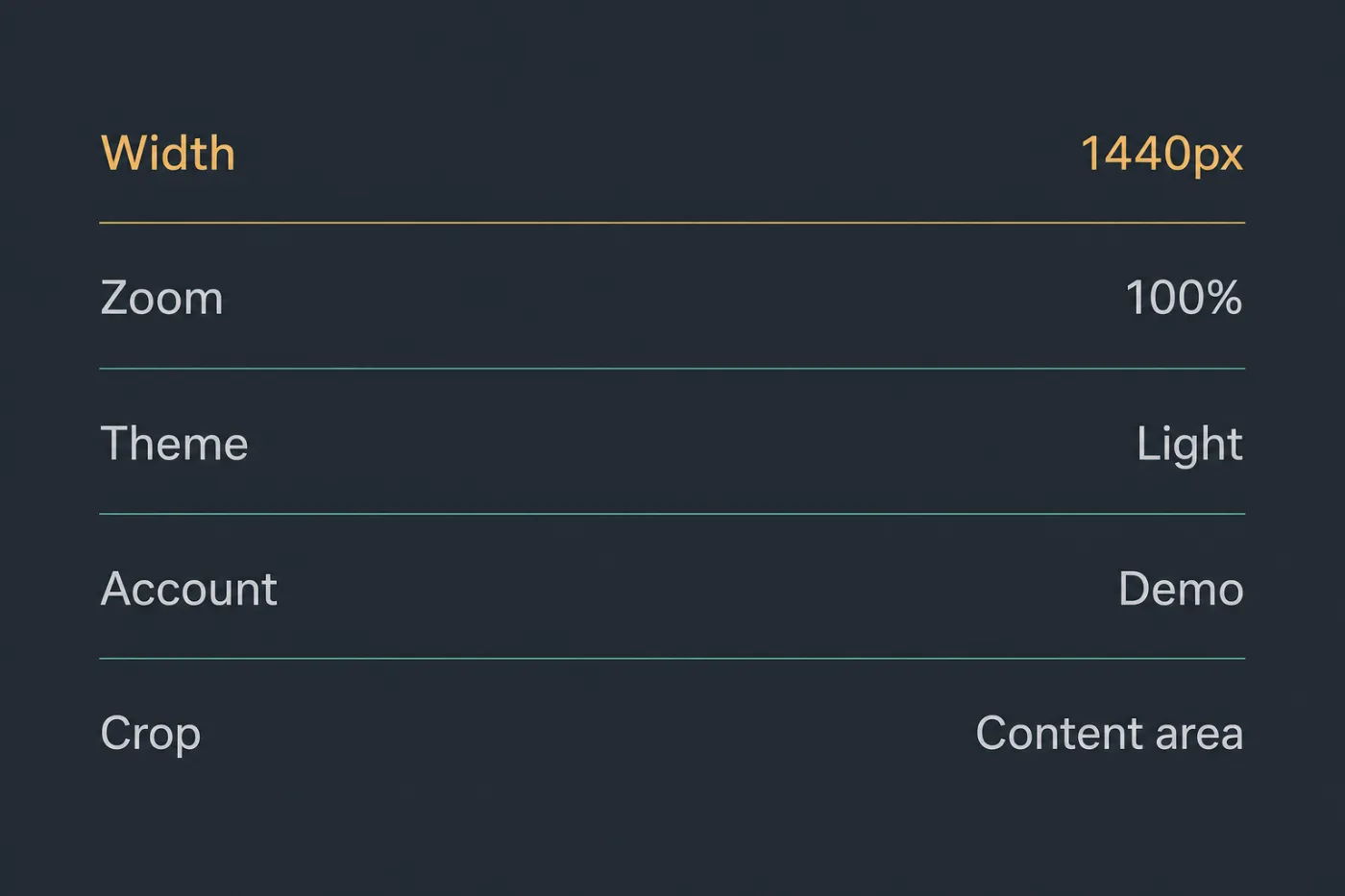
The whole standard. Five values, written down once.
Common mistakes
Screenshotting your own account. Real customer names and real email addresses end up published, and you will not notice until someone tells you.
Capturing at retina resolution and not accounting for it. A 2x screenshot displayed at 1x looks great and doubles your file sizes. Decide which you are doing and be consistent.
Annotating in the screenshot tool's default red. Every product's documentation uses that red. Use your brand accent and the images look like yours.
Including the cursor by accident. A stray pointer in the corner of one image and not the others is the kind of small inconsistency readers register without identifying.
Capturing before the data loads. Skeleton loaders and spinners make it into more published documentation than anyone would like. Wait for the real state.
When this stops scaling
A written standard solves consistency for as long as one person is doing the capturing. It starts to fail on two fronts.
The first is multiple authors. A standard that lives in a document is followed approximately - one person crops tighter, another uses a different demo account, a third prefers dark mode - and the drift is gradual enough that nobody flags it until the help centre visibly has two styles in it.
The second is change. Every screenshot you take is a copy of the interface on the day you took it, and the standard says nothing about keeping them current. A team with excellent conventions and no maintenance mechanism still ends up with a help centre full of accurate-looking images of an interface that no longer exists.
Past about thirty images maintained by more than one person, the effort of enforcing a standard exceeds the effort of not needing one. Rendering images from the product's own stylesheet rather than capturing them removes both problems at once - every image is generated from the same source, so consistency is structural rather than a discipline. SupportPages does this from your repository. If you are about to write a capture standard for a team, it is worth knowing the alternative exists before you commit to enforcing one.