How to Capture a Full-Page or Scrolling Screenshot
Capturing a page taller than the screen, without the stitching seams, duplicated headers and cut-off text that most scrolling-capture tools produce.
Last updated
A clean capture of a page taller than your screen, with no stitching seams, no repeated sticky header, and no half-loaded content in the middle. The browser's own devtools do this better than most dedicated tools, and that is the method here.
Before you start
Decide whether you genuinely need the whole page. A full-page screenshot of a long settings screen is often less useful in documentation than three cropped images of the three sections that matter - the reader has to zoom to read anything on a 4000px-tall image displayed at article width.
Full-page captures earn their place when the point is the shape of something: a long form, a report, a dashboard layout.
Steps
Open developer tools in your browser.
Cmd+Option+Ion macOS,F12orCtrl+Shift+Ion Windows and Linux.Open the command palette.
Cmd+Shift+PorCtrl+Shift+Pwith devtools focused.Type "screenshot" and choose "Capture full size screenshot".
The browser renders the entire scroll height in one pass rather than stitching several captures together, which is why there are no seams.Scroll the page from top to bottom first if it lazy-loads.
Content that loads on scroll will not be in the capture unless it has already loaded. Scroll to the bottom, wait, scroll back to the top, then capture.Disable sticky headers before capturing.
In the Elements panel, select the sticky element and setposition: staticin the styles pane. Tools that stitch will otherwise repeat that header every screen-height down the image.Set the viewport width deliberately.
Use devtools' device toolbar to fix the width to whatever your capture standard says, so the full-page image matches your other screenshots rather than being however wide your window happened to be.Check the middle of the resulting image.
Stitching artefacts and missing lazy-loaded content both appear in the middle, never at the top where you are looking.
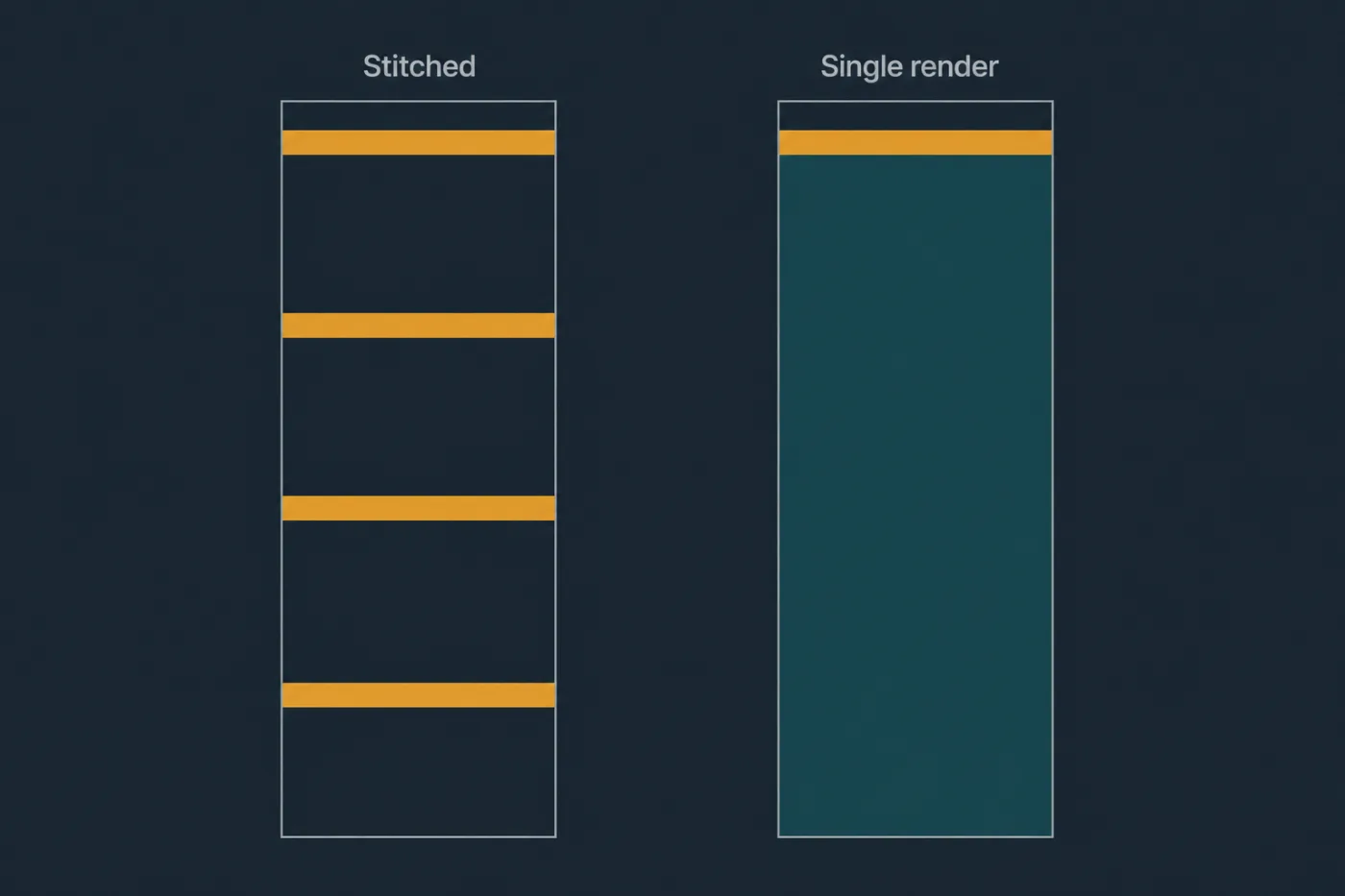
Stitched captures repeat every fixed element. A single full-height render does not.
Common mistakes
Using a stitching extension on a page with any fixed element. Anything pinned to the viewport - headers, chat widgets, cookie banners - repeats down the image at screen-height intervals. The devtools method renders once and avoids this entirely.
Capturing a virtualised list. Long tables and feeds that only render visible rows will produce an image with blank space where the unrendered rows are. There is no capture-side fix; you need to reduce the dataset so the whole list renders.
Forgetting the cookie banner. It is at the top of the page, so it is at the top of a full-page capture, and it is the first thing the reader sees.
Producing an image nobody can read. A 1440x4200 image displayed at 700px wide renders text at about a sixth of legible size. If the reader has to open it in a new tab, crop instead.
Capturing at a width nobody uses. A full-page capture at 2560px wide is technically complete and shows a layout most of your users never see.
When this stops scaling
The devtools method is reliable and it is entirely manual. Each capture is a sequence of eight or nine deliberate actions, and none of it is recorded anywhere - so the next person, or you in four months, repeats the archaeology of working out which width, which theme, which account.
That is tolerable for the handful of long pages a help centre genuinely needs. It stops being tolerable when the pages themselves change, because a full-page capture is the most expensive kind to redo and the most visibly wrong when it is stale - a reader takes in an entire outdated screen at once rather than one outdated button.
If you find yourself re-capturing the same long pages every release, the underlying problem is that the image is a photograph of a moving target. Generating the page image from the interface's own code instead means a layout change produces a new render rather than another trip through devtools. That is the approach SupportPages takes, building the image from your repository's stylesheet. Worth considering if your long-page captures have a shelf life measured in weeks.