How to add a new site to your dashboard
Adding a site to your dashboard takes a few minutes: you name the domain, choose the timezone its reports should use, and install a small tracking script so visits start flowing in.
1 Open your site list
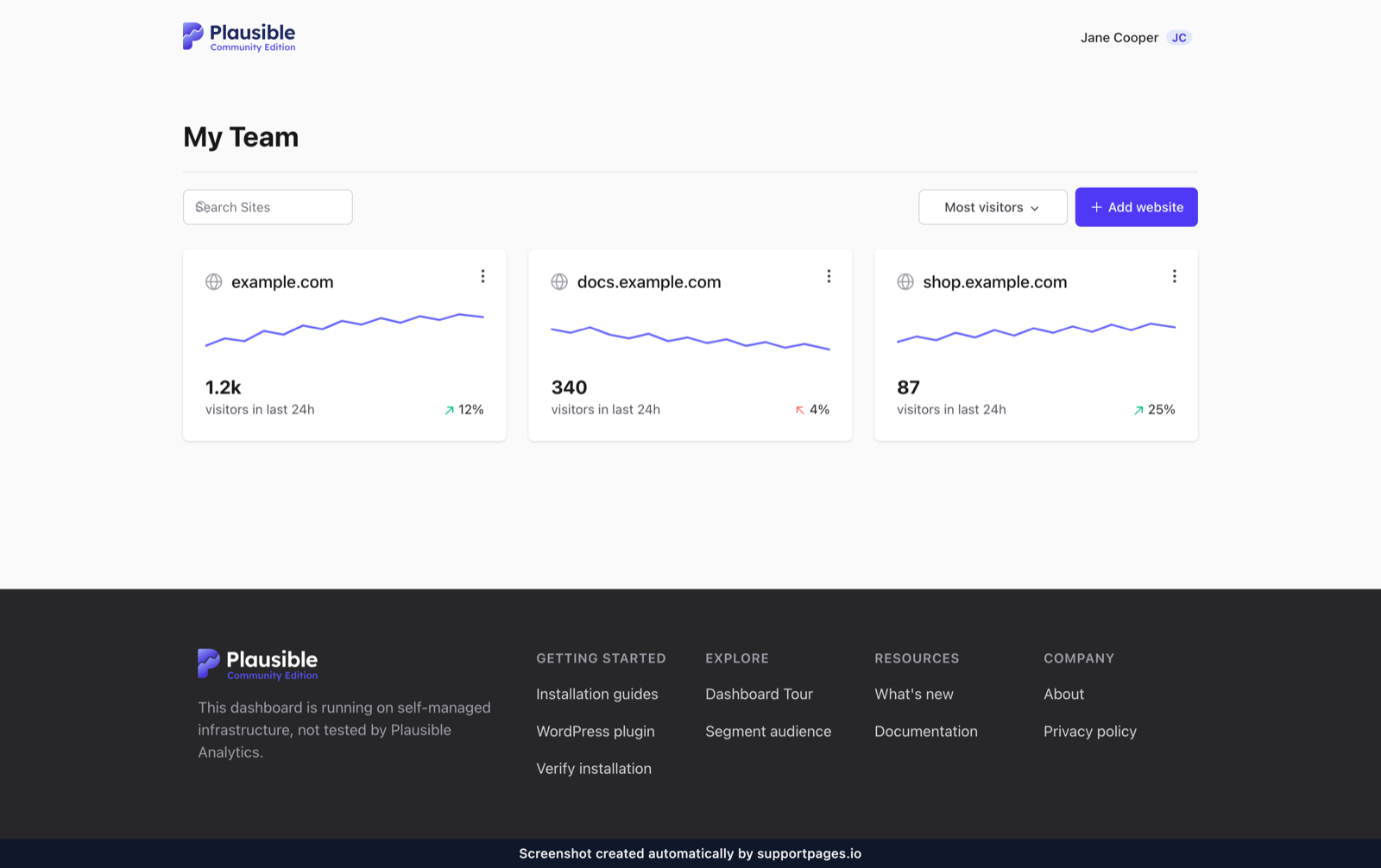
Sign in to Plausible and open your site list — the Plausible logo in the top bar takes you there. Select Add website at the top right of the list.
2 Enter your site details
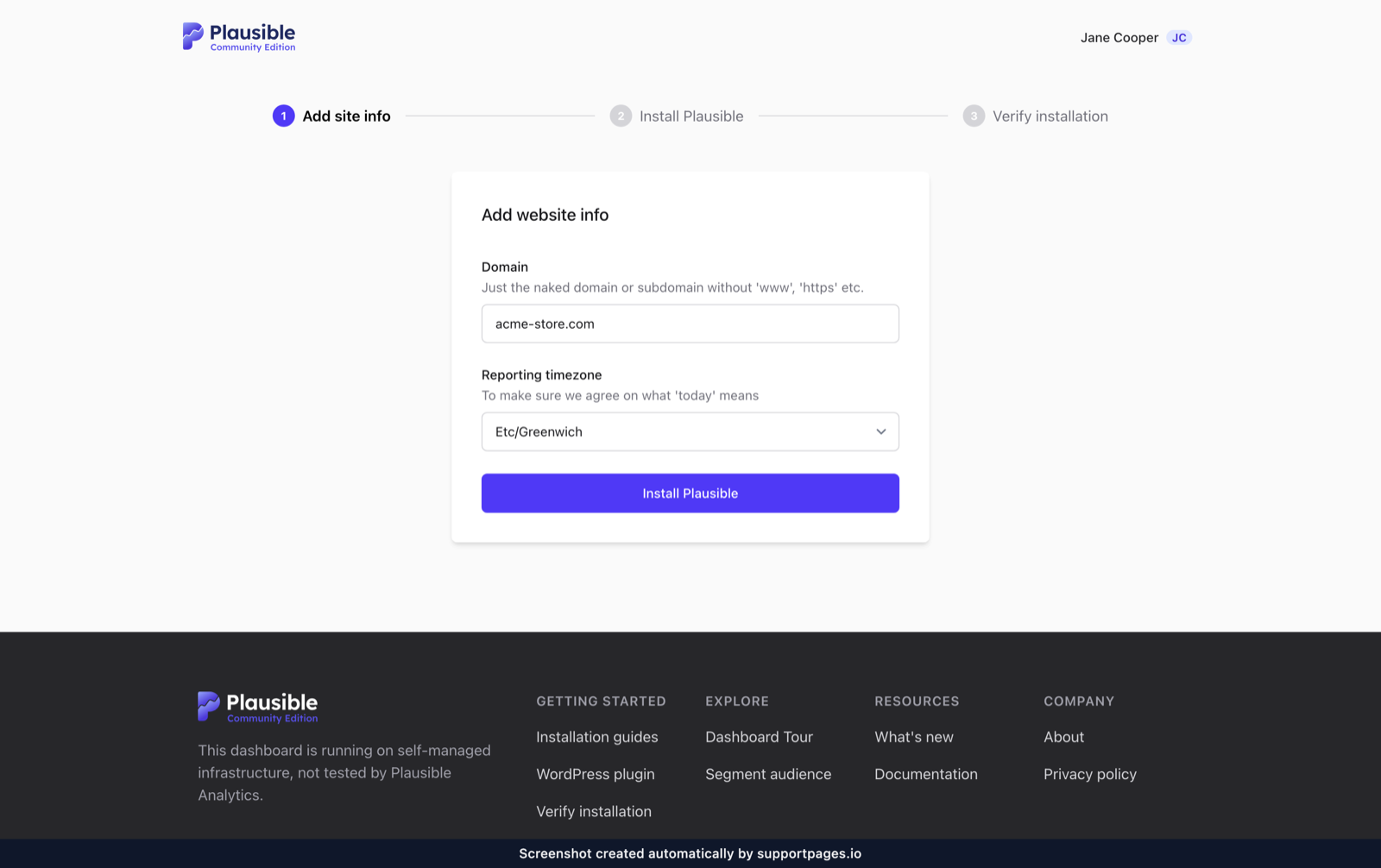
Type your domain into the Domain field — the naked domain only, without www or https. Choose the timezone your reports should use from the Reporting timezone dropdown, then select Install Plausible.
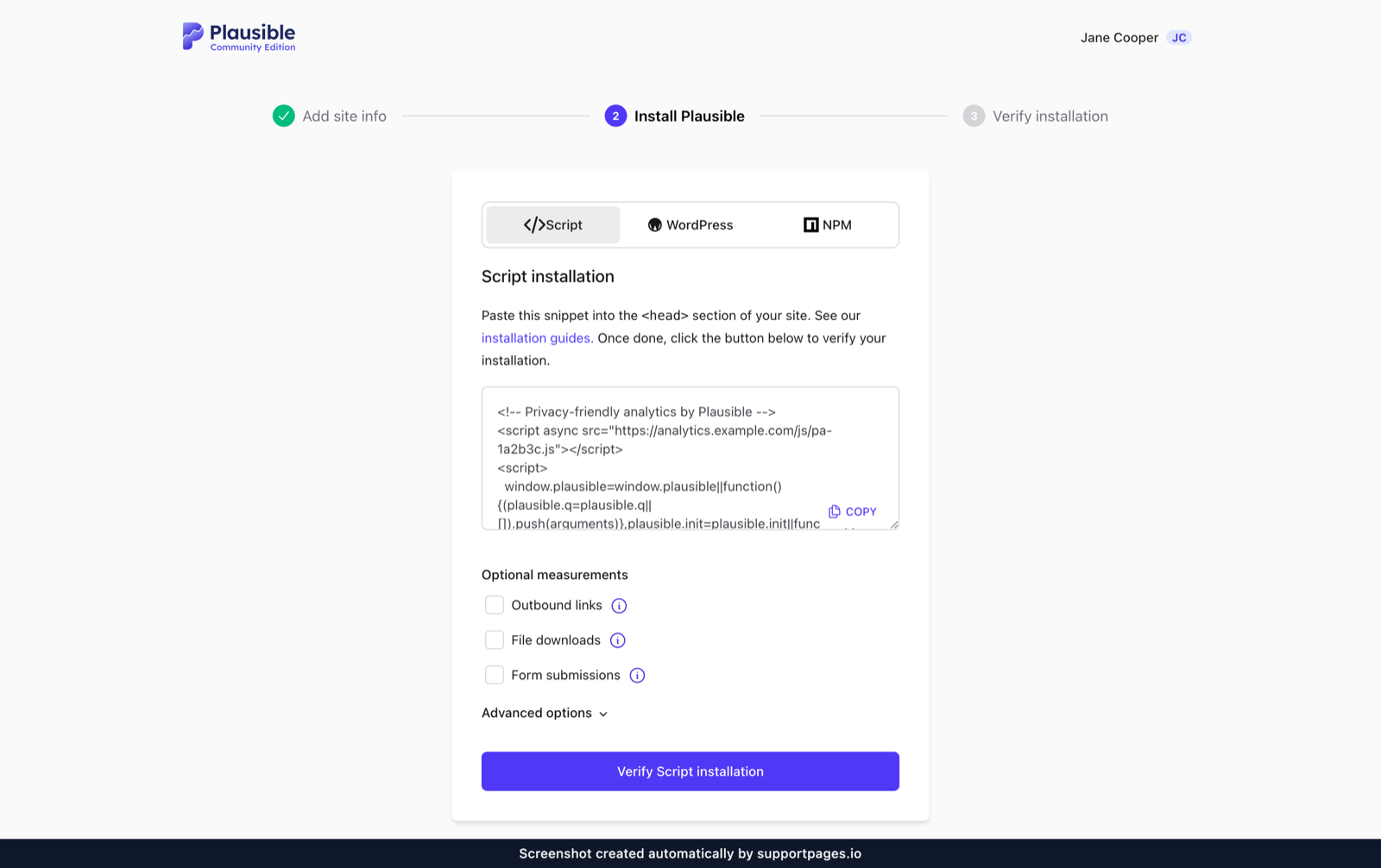
3 Install the tracking script
Leave the Script tab selected and copy the snippet into the head section of every page you want to track. Once the script is live on your site, select Verify Script installation.