
Help docs, screenshots and videos that update when you ship.
Customer docs go out of date the moment you ship. SupportPages writes them from your code and suggests every update for your review.
Built for SaaS teams that move fast and hate writing docs.
Already have an account?
See how it works
1 min 23 sec demo
Live examples
See SupportPages in action
These help centres were generated entirely from code. Nothing was written by hand.

WordPress
Help centre for the world's most popular content management system
View help centre
DocuSeal
SupportPages for document signing and form filling
View help centre
Cal.com
User support for the scheduling platform built for scale
View help centre
Plausible
Help docs for privacy-friendly web analytics
View help centreYour code, where it already lives
How it works
Three steps to a help centre that never goes stale
Point it at a repository and review what comes back. The rest happens on every merge.
Step 1
Point it at your code
Choose where the analysis runs: an isolated cloud sandbox with read-only access, or your local coding agent using its configured model provider.
Step 2
AI writes your help articles
Your codebase is analysed and help articles are generated automatically.
Step 3
Publish your help centre
Review, approve, and publish to your branded help centre.
Initial setup
A help centre from day one
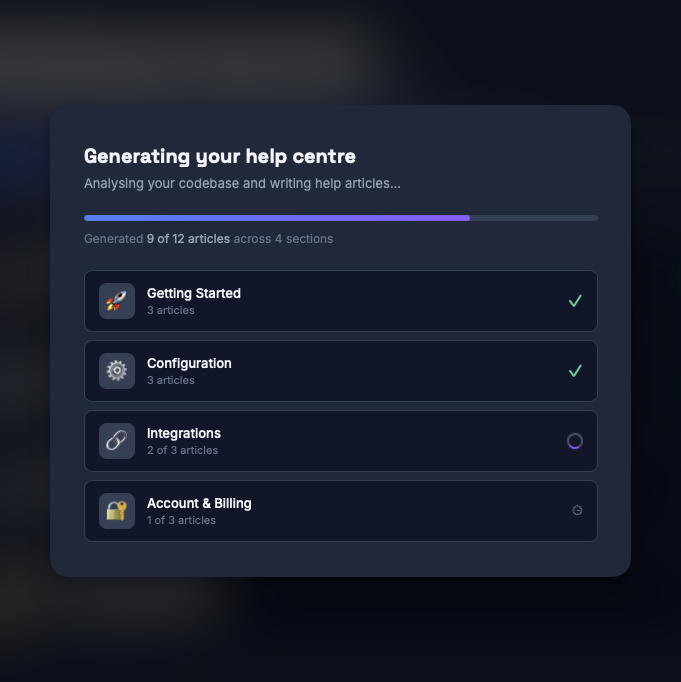
Point SupportPages at your repository and it analyses your entire codebase. Within minutes, you have a full set of help articles ready for review. No blank-page problem.
-
Analyses your full codebase in one pass
-
Generates organised sections and articles automatically
-
Ready to publish in minutes, not weeks
Ongoing
Help articles that update themselves
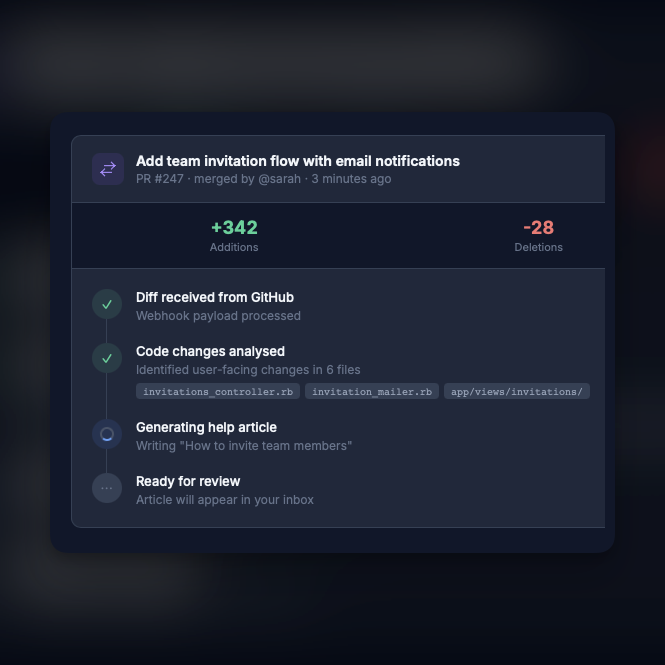
Every merged pull request is analysed automatically. SupportPages understands what changed and drafts new or updated help articles as your product evolves. No manual writing required.
-
Triggered automatically on every merge
-
Creates new articles or updates existing ones
-
Understands user impact, not just code changes
Review
Human review before anything goes live
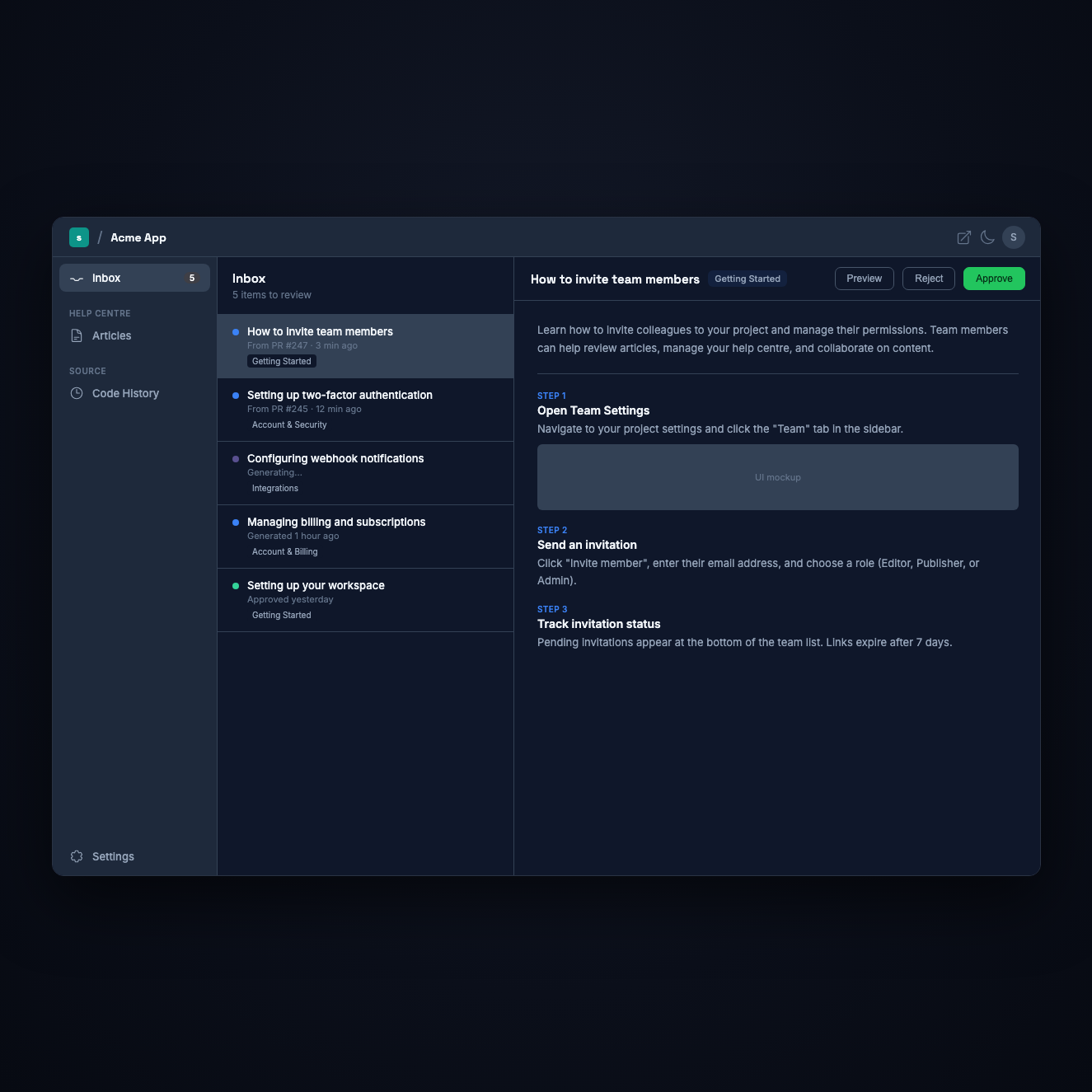
Every AI-generated article lands in your inbox as a draft. Review, edit, approve, or reject with a single click. Nothing gets published without your sign-off.
-
Approve, edit, or reject each draft
-
Full editorial control over every published article
-
Email notifications when new drafts are ready
Screenshots
Every step gets a screenshot
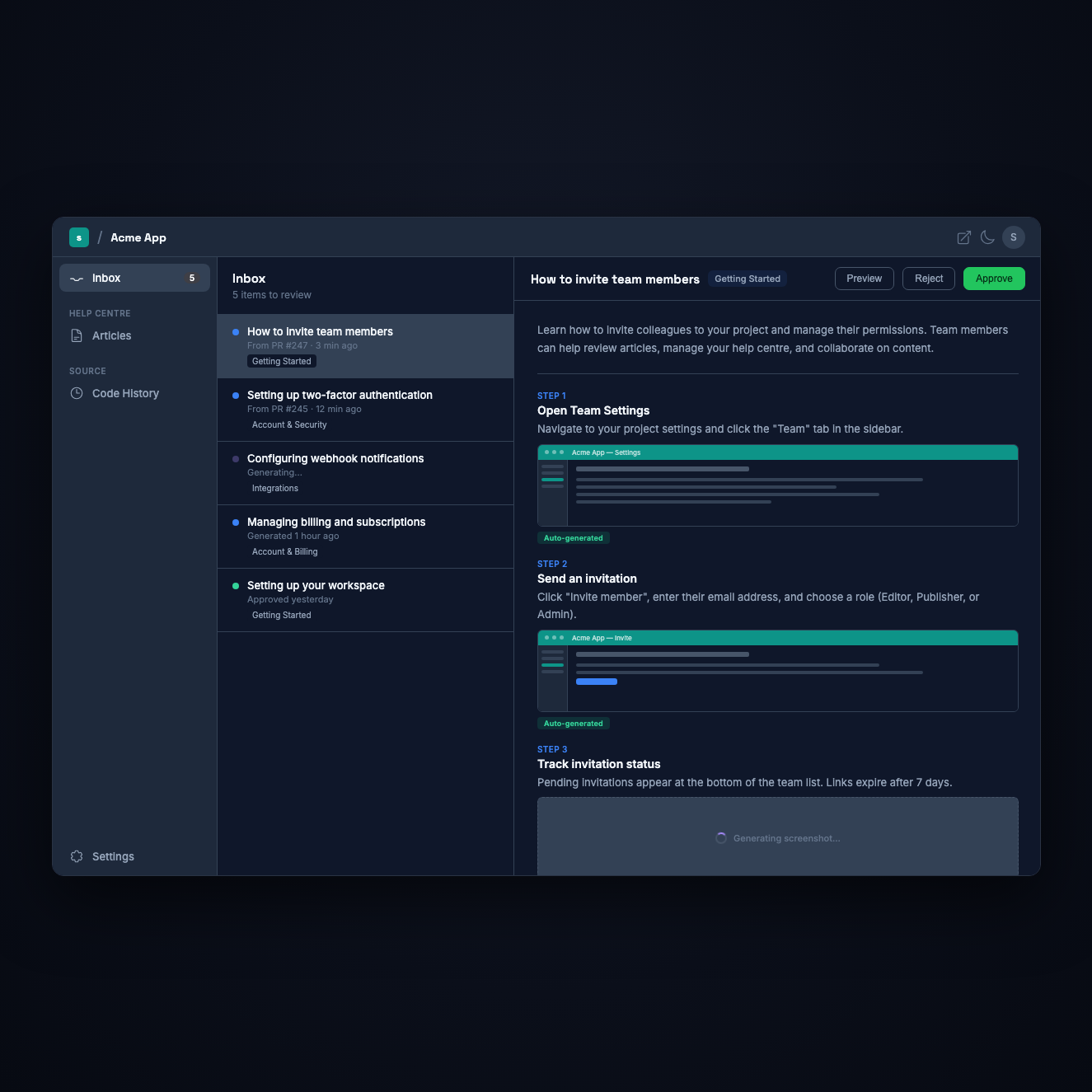
When SupportPages generates a help article, it also creates UI screenshots for each step. Rendered from your actual styles, each image shows exactly what your users will see. No more manual screenshotting after every release.
-
Screenshots generated automatically from your codebase
-
Uses your project's real CSS for accurate mockups
-
Replace any image manually if you prefer your own
Walkthroughs
Watch it, don't just read it
Turn any help article into a narrated video walkthrough. A visible cursor clicks through your UI step by step, rendered from your real styles - so customers can watch exactly how it's done. Generated on demand, no screen recording required.
-
A visible cursor clicks through every step of the article
-
Optional AI narration with synced captions and a transcript
-
Branded intro and outro cards using your logo and colours

More in the box
Everything else your help centre needs
Branding, teams, AI answers and the plumbing. All included from the first plan up.
A help centre that stays current
Organised sections, search, SEO metadata and a mobile-responsive layout. Always reflecting your latest release.
Set the tone, we'll match it
Four presets or a style you describe in your own words. Every article follows it, and you can regenerate in a new voice at any time.
Your users get instant answers
Customers ask in plain English and get sourced answers from your published articles, before the question becomes a ticket.
Ready for AI agents
An llms.txt index and a markdown copy of every article, published automatically so ChatGPT, Claude and Perplexity can read your help centre.
Make it yours
Your logo, your brand colours and a custom domain like help.yourapp.com. Remove the SupportPages badge on paid plans.
Built for teams
Owner, admin, publisher and editor roles, invite links with a 7-day expiry, and per-project access control.
Privacy-first by design
Your source is read in an isolated sandbox and never stored, or generated with your local coding agent. DPA and sub-processors published.
What we do with your codeGitHub, GitLab, Bitbucket & Azure DevOps
Works with the code host you already use. Watches for merged changes and triggers analysis automatically - in the cloud or on your own infrastructure.
Analytics & insights
See which help articles get read, what questions get asked, and where customers drop off.
FAQ
Questions teams ask before trying it on their own code
The short answers. Each links to the longer one.
We read it, we never store it. Each analysis runs in an isolated sandbox that’s destroyed as soon as it finishes, access is read-only, and your code is never used to train AI. The full plain-English rundown is on what we do with your code.
Yes. Use WTFM, the SupportPages command-line tool, with Codex or Claude Code in your checkout, without granting SupportPages access to your repository provider. Your coding agent uses its configured model provider and uploads article content, referenced images and provenance. Review the draft before publishing. See WTFM setup instructions.
Nothing publishes automatically. Every article lands in your inbox as a draft for human review and editing — think of it as a first draft, not a finished product. Your team stays in full control.
About 30 minutes. Choose where the analysis runs, point it at your code and your help centre, and the first drafts arrive while it reads the codebase. After that, new drafts are generated automatically every time a change is merged. Not ready to use your own code? Run it on a public repository first - one of ours, or any public GitHub URL.
GitHub and Bitbucket today. GitLab and Azure DevOps are on the roadmap — if one of them is what’s holding you back, let us know and it moves up the list.
Stop writing docs by hand
Ready to automate your help centre?
Set up in minutes. Free to start. Every article lands as a draft for your review before anything is published.
No credit card required. Try it on a public repository first, or point it at your own product.
Welcome back
Sign in to your account
Don't have an account?