How to Delete a Help Article Without Breaking Links
Deleting the article is the quick part. The work is finding everything that points at it and giving each of those readers somewhere to land.
Last updated
By the time you finish you will have removed an article without producing a single 404, with every inbound link - internal, in-app, emailed and external - landing on a page that answers the reader's question. The deletion takes a minute. Everything below is about the links.
Before you start
You need the ability to configure redirects on whatever hosts your help centre, a list of your other articles, and access to your support tooling so you can find saved replies pointing at the URL. If your help centre cannot issue a 301 redirect, stop here and find out what it can do instead - some tools only offer an unpublish that returns a 404, and that changes the whole approach.
Steps
Decide whether this is a deletion or a merge.
If the content is wrong, it is a deletion. If it is right but redundant, fold the useful paragraphs into the surviving article first, so the redirect sends people somewhere that genuinely contains what they came for.Find every internal link to the URL.
Search your article export for the slug. Help centres accumulate cross-links, and a redirect that fires on every internal navigation is a maintenance smell even when it works.Find the links outside the help centre.
Four places account for nearly all of them: in-app help links and empty states, transactional email templates, support macros or saved replies, and onboarding material. These are the ones that break loudly, because they are used by people mid-task.Check for external inbound links.
Search Console's links report and a site search for the URL will show whether anyone has linked to it from a forum, a blog post or a competitor comparison. External links are the reason a redirect has to be permanent rather than temporary.Choose one specific destination.
The article that answers the same question, or the category page for that topic. Not the help centre home page - a redirect to the home page reads as a dead end to the reader, and search engines commonly treat it as a soft 404 rather than an equivalent page.Configure a 301, not a 302.
A 301 tells search engines the move is permanent and passes the ranking signals to the destination. A 302 keeps the old URL in the index, which is the opposite of the outcome you want.Update the internal links to point at the destination directly.
Redirects are a safety net for links you do not control. Links you do control should go straight to the new URL, otherwise every future move compounds into a chain.Remove the URL from your sitemap and republish it.
A sitemap listing a redirecting URL is a low-grade error in every coverage report you read afterwards, and it slows down how quickly the change is picked up.Check the URL a week later, and again after a month.
Confirm it returns a 301 to a 200, and watch Search Console for crawl errors referencing it. Most redirect mistakes are invisible on the day and obvious a fortnight later.
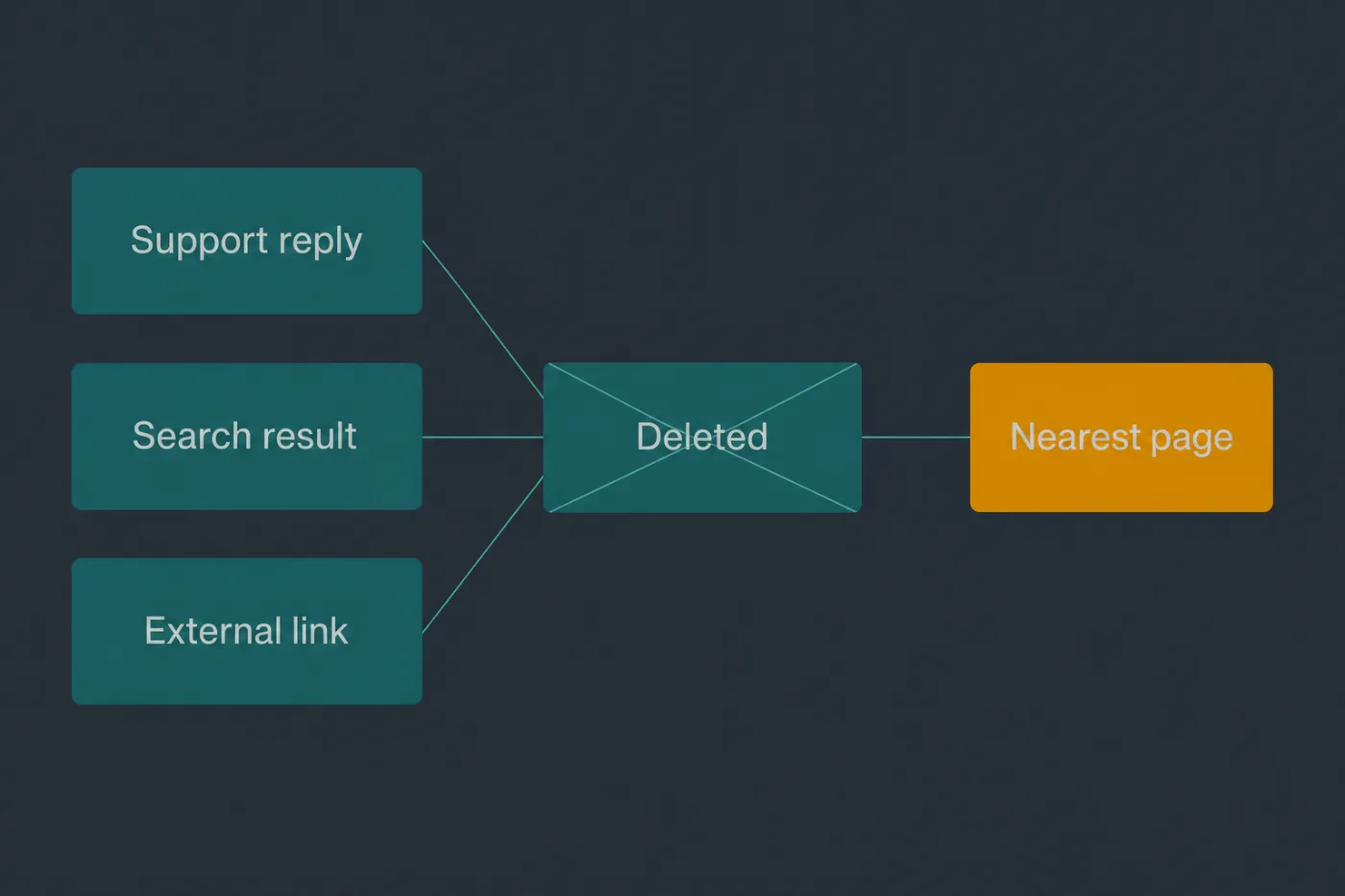
Redirect to the nearest useful page. A homepage redirect is a dead end with extra steps.
Common mistakes
Redirecting everything to the home page. It costs the reader the answer they came for and it costs you the accumulated ranking of the old URL, because a redirect to an unrelated page is not treated as an equivalent.
Leaving a tombstone page. A page that loads and says "this article has been removed" returns a 200, so search engines keep it indexed and keep showing it. If the article is gone, the URL should redirect.
Removing the redirect after a few months. External links and bookmarks do not expire on your schedule. Redirects are cheap to keep and expensive to remove, so keep them indefinitely unless the destination itself disappears.
Chaining redirects. Article A redirects to B, and a year later B redirects to C. Each hop loses a little and adds latency. When you move a target, repoint the old redirects at the final destination.
Forgetting the in-app deep links. A contextual help link inside the product is the highest-intent traffic the article gets, and it is the one place a 404 is guaranteed to generate a support ticket.
When this stops scaling
One deletion done properly takes half an hour, and most of that is the search for inbound links. That holds for occasional retirements, which is what most help centres have.
The threshold is a restructure. The moment you are moving or deleting more than about twenty URLs at once - a reorganisation, a migration, a rebrand - link-by-link discovery stops being viable and you need a generated redirect map instead: old URL, new URL, one row each, applied in a single change and tested as a set.
The second limit is chains over time. Any help centre that has been restructured twice has redirects pointing at redirects, and nothing in a manual process detects that. It needs a crawl, run periodically, that flags any URL requiring more than one hop.
Neither of those is a product problem so much as a discipline problem, and both are solvable with a spreadsheet and an afternoon. The genuine limit is upstream: teams delete articles rarely because deletion feels risky, so stale content accumulates instead. Making retirement routine matters more than any tooling, and if your help centre has never had an article deleted, that is the more urgent finding.