What Is llms.txt?
A proposed convention for a curated, machine-readable index of your documentation. What the file contains, how to publish one, and what nobody can promise about it.
Last updated
By the time you finish you will know what an llms.txt file contains, be able to publish one in an afternoon, and understand its limits. The honest starting position: llms.txt is a community proposal, not a ratified standard. Google has documented that its Search ignores the file, and no other major assistant provider publicly documents fetching or honouring it. What follows treats it as a cheap bet for the assistants that might read it, not a guaranteed channel.
Before you start
You need the ability to serve a static file at the root of the host your documentation lives on, and to control its content type. If your help centre sits on a vendor platform that does not allow arbitrary root files, check whether the vendor already generates one before building a workaround.
You also need a view on what you would want an assistant to quote. That editorial decision is the whole content of the file, and it cannot be delegated to a script.
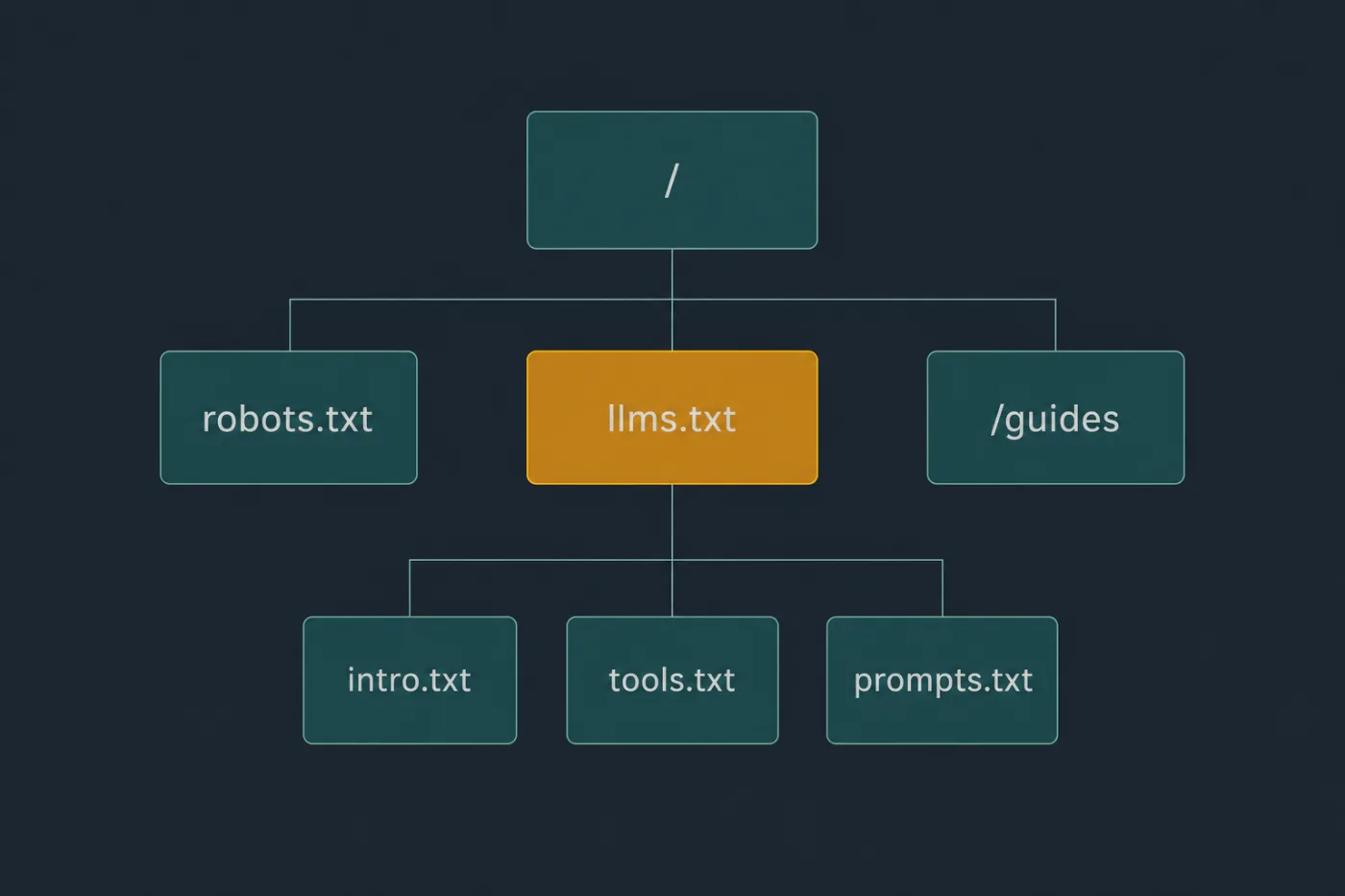
It sits beside robots.txt and points at the same pages, in a form built for reading rather than crawling.
Steps
Understand the shape of the file.
It is markdown, served at/llms.txt. An H1 with the product name, a blockquote with a one-paragraph summary, optional prose, then##sections containing markdown link lists. Each link carries a short description of what that page answers.Write the summary for someone who has never heard of the product.
Two or three sentences: what it does, who for, and the words users would search. A retrieval system that reads only this blockquote should still be able to describe you correctly.List the pages you want quoted, not every page you have.
Curation is the only thing this file adds over a sitemap. Thirty well-chosen links with descriptions is a useful artefact; a dump of six hundred URLs is a worse sitemap.Write each link description as the question it answers.
[Connecting a custom domain](/docs/custom-domain): how to point help.yourdomain.com at your help centre, including DNS records and SSL.The description does the work of deciding whether the page is relevant.Group links under headings that reflect tasks.
Getting started, integrations, billing, troubleshooting. An## Optionalsection at the end is part of the convention and signals pages that can be skipped when context is tight.Serve it as plain text over HTTPS, at the root.
https://help.example.com/llms.txt, content typetext/plain; charset=utf-8. No redirect chain, no login, no bot challenge in front of it.Decide whether to also publish
llms-full.txt.
That variant concatenates the actual text of your documentation into one file. It is worth having if your corpus is small. Past a few hundred kilobytes it exceeds what most systems will usefully ingest in one request.Generate the file from the same source as your navigation.
A hand-maintained index diverges from reality at the first restructure, and a confidently wrong index is worse than no index.Check the linked pages are actually fetchable.
Crawl each URL in your file as an anonymous client. Anything behindrobots.txtrules, a cookie wall or client-side rendering is listed but unreadable.
Common mistakes
Expecting it to change what assistants say about you. Google Search ignores this file and says so in its own guidance; no other provider has documented reading it, and retrieval behaviour is unpublished and changes without notice. Publish it because it costs an afternoon and might help with the assistants that do read such files, not because a case study said it would.
Duplicating sitemap.xml. A sitemap enumerates URLs for crawlers that will fetch all of them. This file is a reading list for a system with a limited budget. Making it exhaustive removes the only property that distinguishes it.
Linking pages that robots.txt disallows. A file inviting a client to read pages you have blocked is a contradiction, and the block wins.
Using it to hide or protect anything. It is a published request, not an access control, and neither it nor robots.txt enforces anything. Assume everything listed and everything linked will be read.
Letting it go stale. An index pointing at three deleted articles and missing your last two launches actively misinforms whatever reads it, and nothing will tell you it has drifted.
When this stops scaling
Hand-maintaining this file works for a documentation set with a stable shape - roughly thirty to forty links, restructured once or twice a year. Past that, or at any cadence where articles are added weekly, the file drifts within a month and nobody notices, because nothing in your stack breaks when it is wrong. There is no build failure, no 404, no alert.
The fix is not a bigger file, it is generation: derive the index from whatever already knows your section structure, and regenerate on publish. If your help centre is generated rather than hand-assembled, that comes for free - SupportPages emits llms.txt for every help centre it serves, updated when the content changes. Whatever you use, the test is the same: if a person has to remember to update this file, it will be wrong within a quarter, and its being wrong will be invisible.