How to Add Subtitles to a Product Video
Auto-transcribe, then fix the product nouns by hand. How to produce a caption file that stays searchable, translatable and readable rather than burning text into the pixels.
Last updated
By the time you finish you will have a caption file sitting alongside your video rather than text burned into it, with the product names and interface labels spelled correctly, and a full transcript on the page for the people and crawlers who will never press play.
Before you start
Have the script to hand if the video was scripted. A script is a caption file that has not been timed yet, and starting from it removes the entire correction pass that automatic transcription otherwise requires.
Check what your video host accepts. Most take WebVTT (.vtt); some also take SubRip (.srt). If you are self-hosting with a plain <video> element, WebVTT is the format the <track> element expects.
Steps
Generate a first pass with automatic transcription.
Whatever your editor or host provides is fine as a starting point. The value of automatic captioning is timing, which is tedious by hand, not accuracy.Correct every product noun and interface label by hand.
Transcription models have never seen your feature names, and they confidently produce near-misses. This pass is not optional, and it is the whole reason auto-captions have a bad reputation.Match the captions to the words actually spoken.
Captions transcribe the audio; they do not improve it. If the narration said "click here", the caption says "click here", and the fix belongs in a re-record rather than in the caption file.Break lines at around 42 characters, two lines maximum.
This is the common broadcast convention, and it exists because longer lines force the eye away from the interface the video is showing.Keep each cue on screen for at least a second.
Cues that flash by are unreadable even when correct. If a cue is too short, merge it with its neighbour rather than shortening the text.Split cues at grammatical boundaries.
Break between clauses, not mid-phrase. A cue ending on "click the" and continuing on the next card makes the viewer hold half a sentence while watching a screen change.Position captions so they do not cover the interface.
Bottom-centre is the default, and it is where menus and status bars live in a lot of products. Check the final render and move cues that sit over anything the viewer needs to read.Export as WebVTT and attach it as a track, not as pixels.
A sidecar file can be turned off, restyled, machine-translated, indexed by search engines and read by a screen reader. Burned-in text can do none of those things.Publish the full transcript alongside the video.
Paste it into the article under the embed. This serves anybody who would rather read than watch, and it is the only version of the video's content that search engines and AI assistants can actually use.Watch the whole video with captions on before publishing.
Read them as a viewer would, on a phone. Mistimed cues are invisible in an editor's timeline and obvious the moment you watch normally.
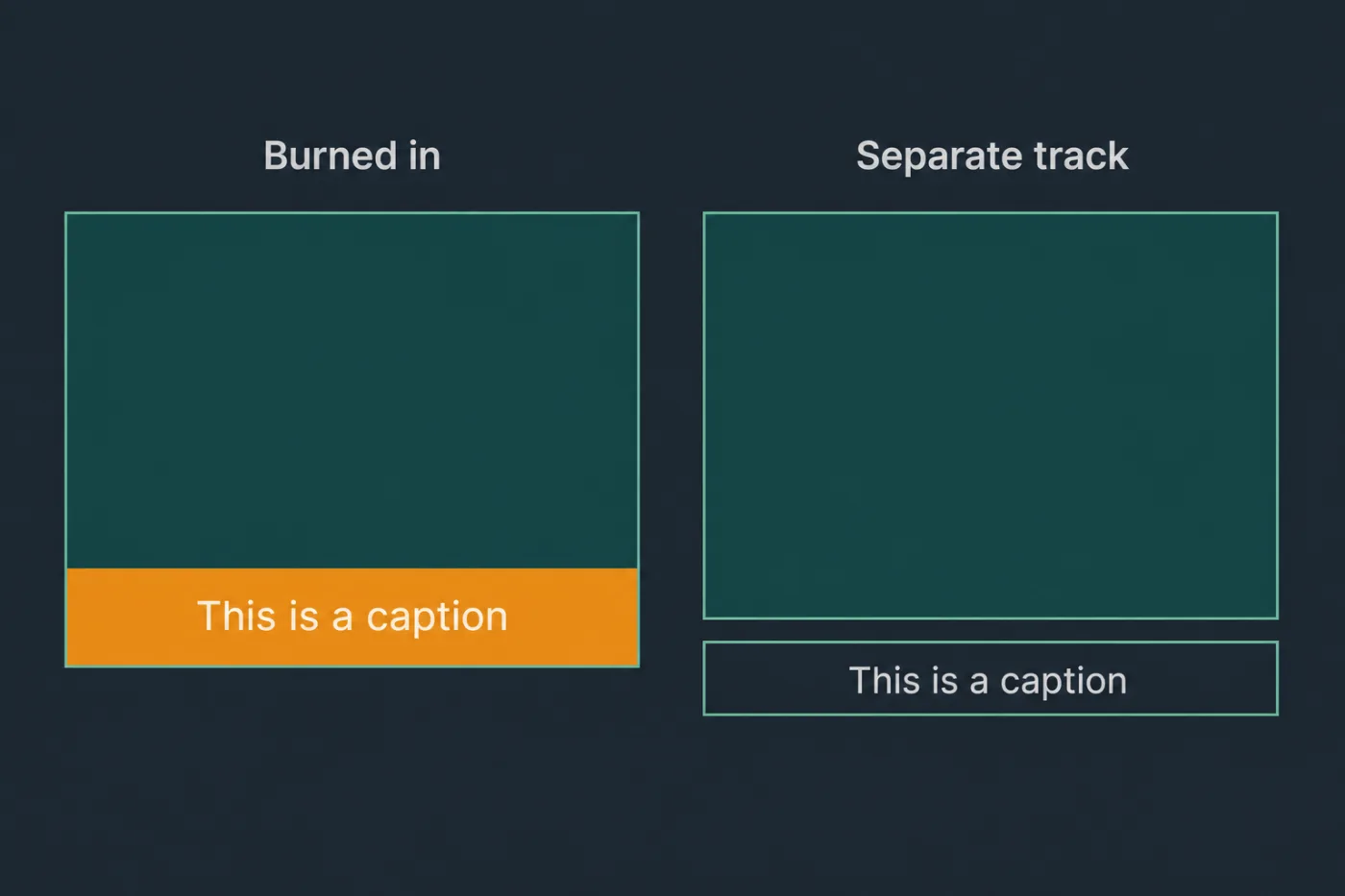
Burned-in cannot be turned off, translated, or indexed. A separate track can.
Common mistakes
Publishing raw auto-captions. The one place transcription reliably fails is your own product vocabulary, which is exactly the vocabulary the video exists to teach.
Burning captions into the video. It looks tidier and it removes translation, search indexing, screen reader access and the viewer's ability to turn them off. It also has to be re-rendered when the narration changes.
Captioning the video and skipping the transcript. A caption file is timed fragments; a transcript is readable content. They are not substitutes for each other.
Forgetting captions after an edit. Cutting four seconds out of the middle of a video shifts every subsequent cue out of sync, and nobody notices because nobody re-watches with captions on.
Treating captions as an accessibility formality. Most viewers who turn captions on can hear perfectly well and are watching in an open-plan office. Captions are a mainstream feature that happens to also be a legal requirement.
When this stops scaling
Captioning by hand is a fixed cost per minute of video, and the correction pass is the bulk of it. For a handful of videos, that cost is acceptable.
Two things push it past acceptable. The first is edits: every re-cut invalidates the timings after the cut point, so a library that changes with the product carries a recurring caption cost that is unrelated to how much of the video changed. The second is translation. Once you are captioning in more than one language, each edit multiplies, and the practical threshold arrives at around twenty minutes of published video maintained across two languages.
At that point the caption file stops being the problem and the video does. Where a walkthrough is generated from the product's interface code and a written script, the captions are generated from the same script rather than transcribed back out of the audio, so they cannot drift out of sync with an edit. SupportPages produces walkthroughs, subtitles and transcripts together for this reason. For a single stable video, transcribe and correct it by hand and move on.