
Choose GitBook
Mixed teams that want visual editing alongside Git workflows.
Head-to-head comparison
Choose GitBook for a collaborative technical-documentation workflow spanning browser editing and Git. Choose Document360 for a governed knowledge-base programme covering public, private and internal content.

The short version
Choose GitBook
Mixed teams that want visual editing alongside Git workflows.
Choose Document360
Structured public and private knowledge bases with governance.
Consider a third workflow
Generate customer-facing help from the application codebase, then review it before publishing.
Query-specific analysis
Operating model
The decision is not simply which editor feels better. GitBook reduces friction for a mixed technical team, while Document360 supplies structure for a formal knowledge programme spanning audiences, permissions and content types.
Public and private knowledge
Map the required audiences, roles, approval stages and publishing destinations. GitBook also supports controlled content, but the governance test should use the organization's real permission model rather than broad feature labels.
Git and technical contribution
Developers and writers can share a Git-aware workflow without turning the whole documentation site into a custom frontend project. Confirm how conflicts, branches and structural edits work for technical and browser contributors.
Migration and pricing
Test imports, redirects, permissions and review on representative public and private content. Then compare current site, seat, AI and usage limits from the vendors' pricing pages.
Verify current details GitBook product GitBook pricing Document360 product Document360 pricing
We reviewed the vendors' current product documentation and pricing pages, separated sourced facts from our editorial recommendations, and did not treat a longer feature list as a universal winner.
SupportPages publishes this comparison. We state where other products are the better fit and separate sourced product facts from our editorial recommendations.
| Product | Primary audience | Content starts from | Keeping docs current | Visual documentation | Publishing model |
|---|---|---|---|---|---|
| GitBook | Technical writers, product teams and developers | Visual editor, Markdown and Git-synced content | Agent flags stale content and queues changes for review | Rich editor content and uploaded media | Managed public or access-controlled docs |
| Document360 | Support, documentation and knowledge-management teams | Knowledge-base editor, imports and integrations | Editorial workflows, analytics and AI-assisted updates | Rich media, video and interactive-demo support | Managed public, private or mixed knowledge base |
The reasoning
The context behind the quick verdict, including when switching will not solve the underlying problem.
GitBook treats documentation as a collaborative product that can live in a browser and synchronize with Git. Document360 treats it as governed organizational knowledge that may serve customers, employees, manuals, SOPs and APIs.
The products overlap, but the teams that benefit most often have different priorities.
GitBook is a strong choice when developers, technical writers and product managers share ownership. Browser editing lowers the contribution barrier while Git-aware workflows preserve review and version history. It is suited to teams that want technical documentation to move quickly without becoming an engineering-only site.
Document360 is better aligned with a formal knowledge programme: multiple content modes, taxonomy, analytics, editorial controls and broad internal or external use cases. That structure earns its keep when many teams depend on the corpus and need predictable controls.
If the organization already has writers and content, compare collaboration and governance. If it has neither, a better workspace may simply make an empty knowledge base easier to organize. The more useful question is whether AI assistance in either product receives enough product context to discover missing end-user tasks and keep visual instructions synchronized with releases.
A different workflow
GitBook and Document360 organize the work of authors and knowledge teams. SupportPages fits when a SaaS team wants the product repository to supply the first draft: recommended end-user articles, source-grounded screenshots and walkthroughs, ready for human review.
See how SupportPages works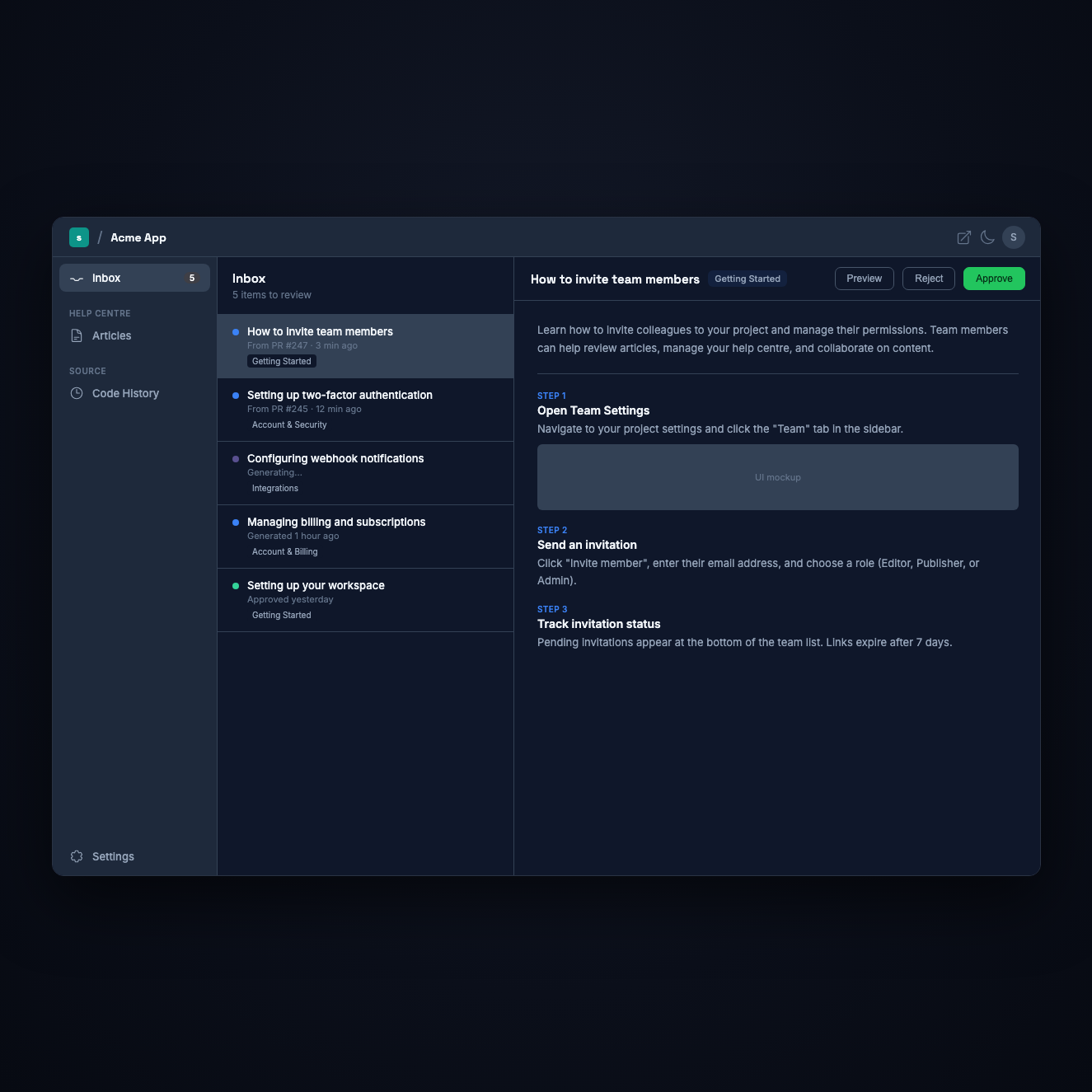
GitBook is generally the more natural fit when Git synchronization and technical authoring are central. Document360 is stronger when the organization needs formal knowledge-base governance across multiple audiences.
Document360 explicitly supports public, private and mixed knowledge bases. GitBook also offers access-controlled content, so compare the required permission, governance and publishing workflows in a trial.
Both provide AI and workflow assistance, but remain documentation environments. SupportPages is the alternative in this comparison that explicitly begins with the application codebase and generates end-user help and visuals for review.
See the help articles SupportPages recommends for your actual product—including the screenshots and walkthroughs that make the instructions usable.